An order came in — the phone buzzed
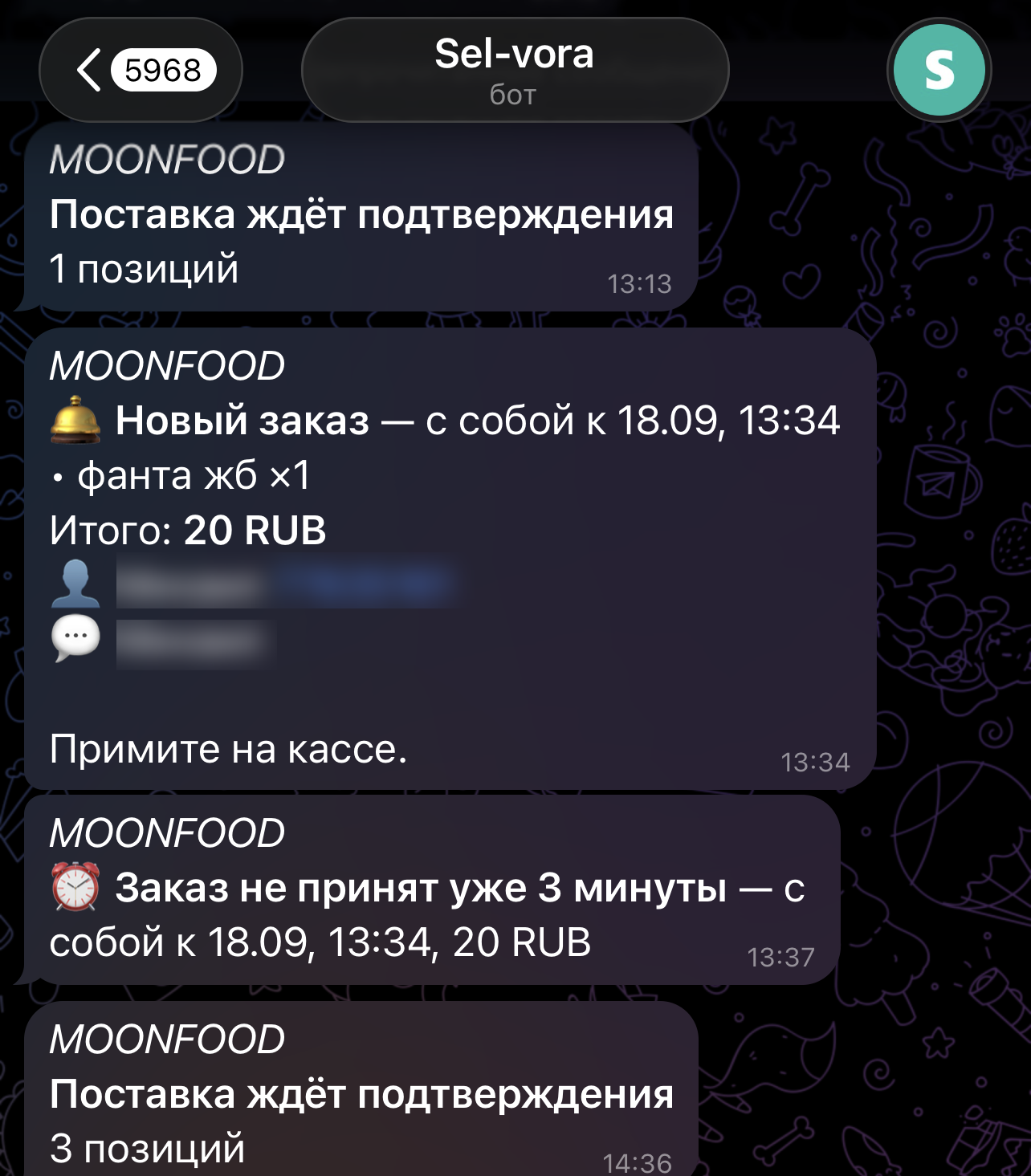
The POS and the dashboard only ring while someone is looking at them. The barista stepped over to the coffee machine, the mechanic is in the bay with a client, the owner drove off on errands — and an order from the guest card sits there unnoticed. The Selvora bot sends such events straight to Telegram, personally to the staff member they concern.
🤖 What it is
An ordinary Telegram bot — @Sel_vora_bot. Nothing to install: your staff already have Telegram, the bot simply shows up in their chat list and writes there when something happens at the business.
🔔 What it warns about
- An order from the guest card. A guest picked from the menu on their phone and sent it — the kitchen and the POS know right away.
- A new service booking. The client booked themselves through the guest card, or was booked in the dashboard.
- A refund. The cashier issued a refund — the owner finds out at that moment, not at the end of the month.
- A write-off. Something was broken or spoiled and written off stock.
- Deliveries and purchases. A delivery arrived, a staff member filed a request — it's waiting for your decision.
📷 How to connect a staff member
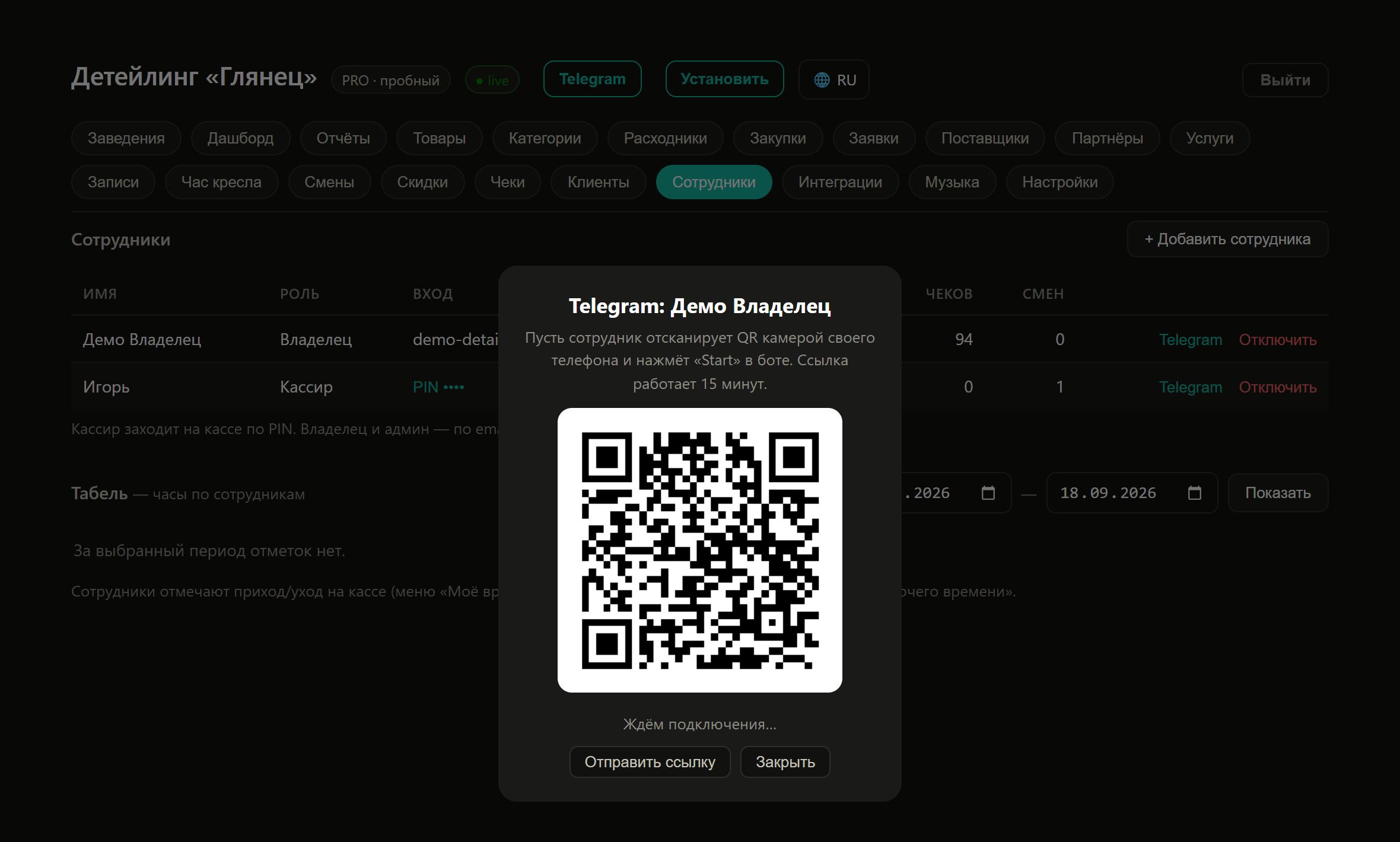
The owner connects it, from the dashboard. A cashier often has no dashboard access at all, so asking them to "log in and set it up" is pointless — it's enough to show them a QR on your own screen.
- Dashboard → the Staff section.
- Next to the right person — the Telegram button. A QR appears on the screen.
- The staff member points their phone camera at it and opens the link.
- In Telegram they tap Start. The bot replies "Connected" with their name and the business name.
👥 Who gets what
A staff member only receives the events they have rights to in the dashboard. The barista won't see purchase notifications, and the accountant won't see kitchen orders.
- The chat is linked to a specific staff member of a specific business, not to a phone number.
- If the owner has several businesses, notifications come per business and are signed with its name.
- Whoever performed an action doesn't get a notification about it — otherwise the cashier's phone would buzz on every receipt.
🚪 How to switch off
- The staff member themselves — with the /stop command in the chat with the bot.
- The owner — in the Staff section, where they connected it.
💬 Why Telegram
We could send notifications to the browser, and we do — but on iPhone they are temperamental: they work not always and not for everyone. Telegram arrives every time and the same way on any phone.